
HTMLCSSJavaScript20 PointsJunior
Flip The Coin
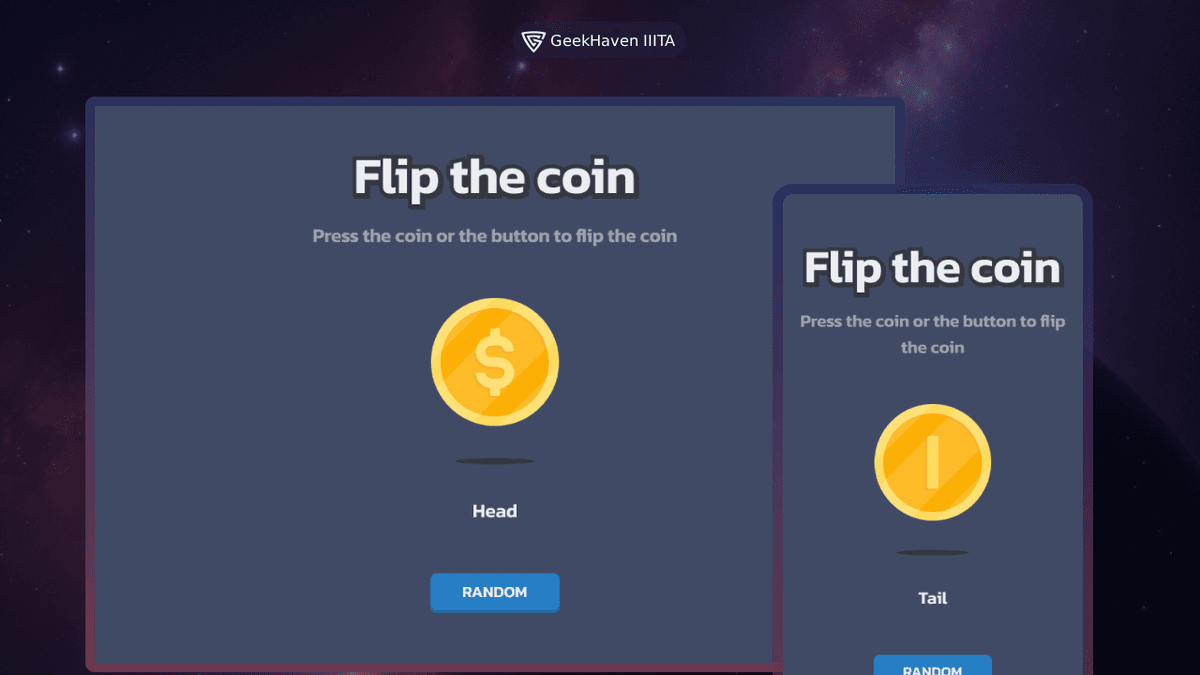
Build a coin flipping game using HTML, CSS, and JavaScript to practice your web development skills. Test your knowledge of HTML and CSS syntax while incorporating JavaScript to create an interactive game.
Learning Goals
The goals of this project are to help you:
- •Understand the basics of HTML, CSS, and JavaScript syntax
- •Learn how to incorporate JavaScript into a web page
- •Practice creating and styling HTML elements
- •Practice manipulating the DOM using JavaScript
- •Practice handling events in JavaScript
- •Practice creating a visually appealing layout using CSS
Requirements
- •Create a web page that allows users to flip a virtual coin.
- •The web page should have a button labeled "Flip Coin".
- •When the button is clicked, the coin should randomly display either "Heads" or "Tails".
- •Display the result of the coin flip on the web page.
- •Style the web page according to the design.
- •Ensure the web page is responsive and works well on different devices and screen sizes.
Technical Details
1. HTML
Create the structure of the web page.
2. CSS
Style the web page to make it visually appealing according to the design.
You can use the provided shadow values or customize it with your own values.
css
/* Heading Text Shadow */
text-shadow: 2px 2px 0px #35383f;
-webkit-text-stroke-width: 5px;
-webkit-text-stroke-color: #35383f;

/* Button Shadow */
box-shadow: 0px 4px 0px 0px #23649b;
3. JavaScript
Write the logic to handle the coin flip.
- Select the button and result display elements using
document.querySelectorordocument.getElementById. - Add an event listener to the button to detect clicks using
addEventListener. - Inside the event listener function, generate a random result ("Heads" or "Tails") using
Math.random.
For example:
javascript
const result = Math.random() < 0.5 ? "Heads" : "Tails";Display the result in the result display element by setting itstextContentorinnerHTMLproperty.
For example:
javascript
document.querySelector("#result").textContent = result;4. Deployment
Make the website accessible for everyone.
Deploy the website using a service like GitHub Pages, Netlify, or Vercel.
Tech Stack
- HTML: For creating the structure of the web page.
- CSS: For styling the web page and making it responsive.
- JavaScript: For adding interactivity and handling the coin flip logic.
User Stories
Acceptance Criteria Checklist
Create a web page that allows users to flip a virtual coin.
Display the result of the coin flip (heads or tails) on the page.
Add a button that triggers the coin flip when clicked.
Style the web page according to the design.
Use JavaScript to handle the logic of the coin flip and update the page accordingly.
Deploy the website to make it accessible for everyone.