
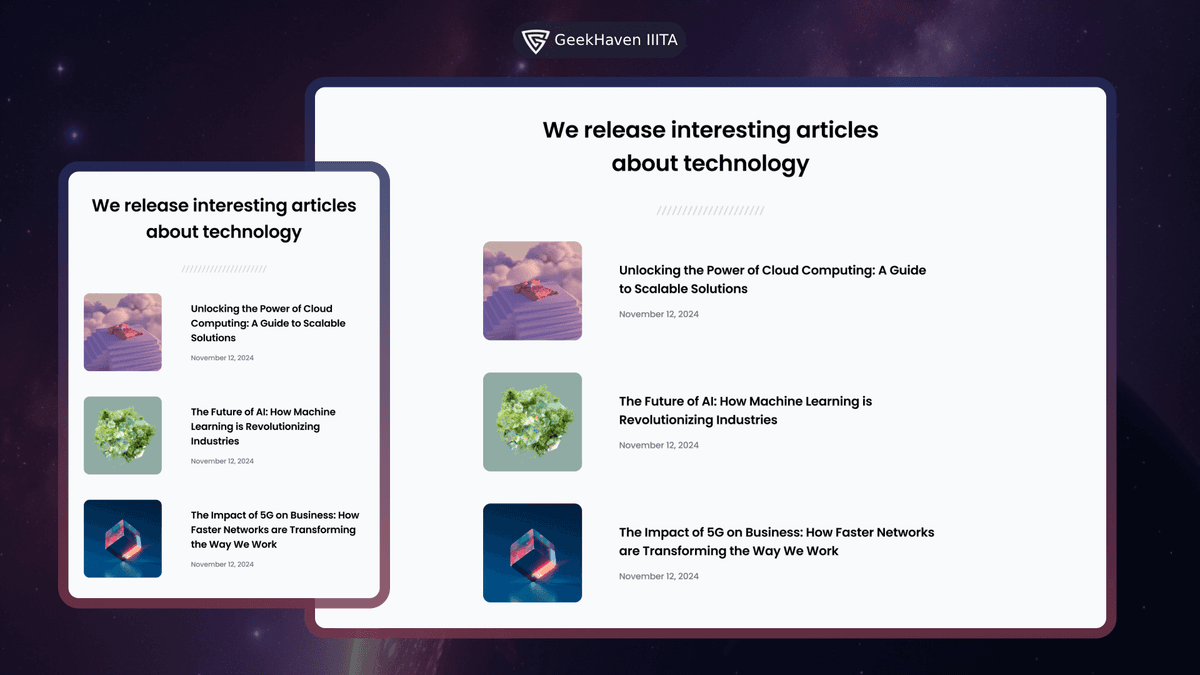
Simple Article Listing
Code a simple article listing challenge with HTML and CSS to practice Flexbox and working with semantic article elements.
Goals
The goals of this project are to help you:
- •Understand the basics of HTML and CSS syntax
- •Learn how to use
flexboxto create flexible and responsive layouts - •Practice working with
<article>elements to structure and organize content - •Practice styling and formatting text content
Requirements
You should create a web page that displays a list of articles. The page should have the following features:
- •Use Flexbox to create a responsive layout for the article listing
- •Each article should include a picture, title, and publication date
- •The layout should be visually appealing, with clean spacing and typography
Technical Details
For this project, it is recommended to use only HTML and CSS to create the web page. This ensures you grasp the fundamentals of layout before moving to frameworks.
To achieve the side-by-side layout, you will need to use a flex container. Here is a basic pattern you can adapt:
.article-container {
  display: flex;
  flex-wrap: wrap;
  gap: 20px;
  justify-content: center;
}

.article-card {
  flex: 1 1 300px; /* Grow, shrink, basis */
  display: flex;
  flex-direction: column;
}
There are no specific requirements for the choice of HTML and CSS frameworks or libraries. It is recommended to use vanilla HTML and CSS for this project, but you can also choose to use popular frameworks like Tailwind CSS if you prefer.
Tech Stack
- HTML5: Semantic structure using
<main>,<article>, and<time>. - CSS3: Focus on Flexbox (
display: flex) and Media Queries for responsiveness.